Your Project Context File
From Brainstorm to Real
You've got your house-sitter note: the bullet points your team just brainstormed. Now you're going to ask your AI coding assistant to turn that into a real project context file it reads automatically.
Here's what makes a good project context file:
What goes in:
- Project purpose: one sentence about what this is and who it's for
- Main parts of the application: each screen or section and what it does
- Data sources: where the live data comes from
- Domain rules: standards the application must follow (like official naming conventions or required data formats)
- AI behavior rules: how your AI assistant should work with you (like saving and syncing when asked, or pushing back when you don't provide clear acceptance criteria)
- Pointers: where to find more details about the project
What doesn't go in:
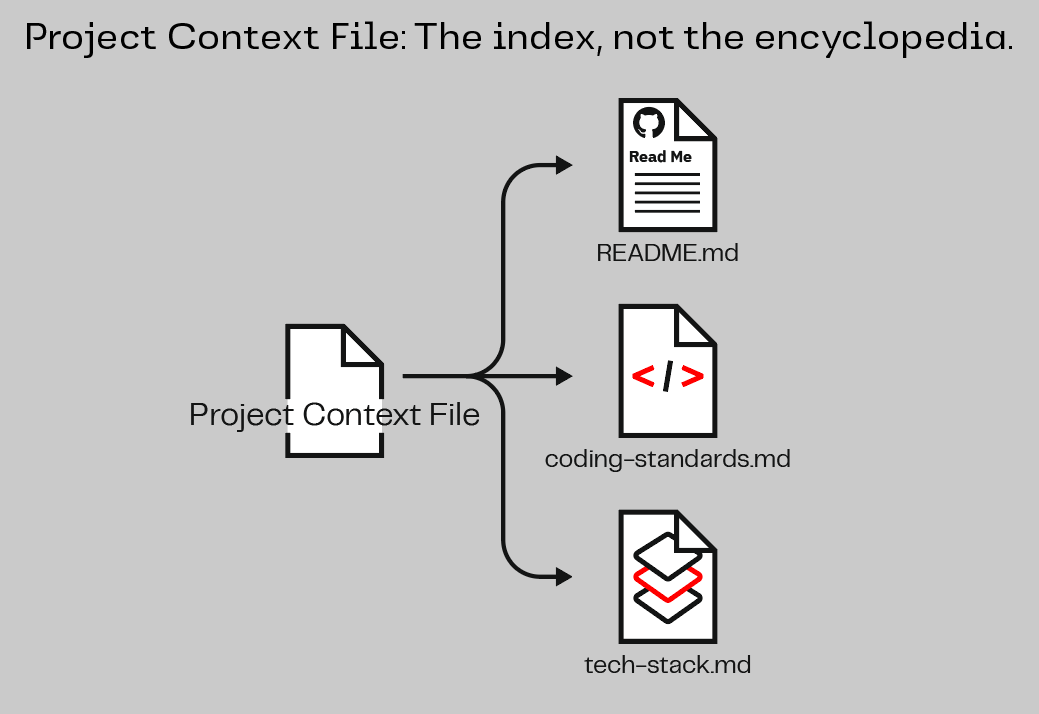
- Long explanations: keep it brief and point to existing documentation instead
- Things AI can figure out on its own: it's smart enough to understand your project by looking at it
- Every decision you've ever made: only include what AI needs to get started
Why rules matter most: AI has seen millions of projects in its training. Without your rules, it defaults to whatever patterns are most common, which may not match your project's decisions. A rule like "always name new files using the project's existing convention" seems obvious to your team, but AI doesn't know your team's decisions unless you write them down. The rules in your context file steer AI toward the right choices from the very first prompt.
Remember: table of contents, not the whole book.
Create Your Project Context File
Mob Session | ~7 minutes total | Gather at the same computer. One person drives, everyone else navigates.
Rotate the driver. Pick someone who hasn't been at the keyboard recently.
Step 1: Ask AI to create the file
Take the house-sitter note your team brainstormed in the last section and give it to your AI coding assistant. You might say something like:
Create a project context file for this project. Here's what I want it to include:

[paste or type your brainstormed bullet points]

Keep it short. Point to existing documentation rather than duplicating content. This should be a quick reference, not a manual.
Your AI assistant will create the right file for your tool. It knows what to name it and where to put it. You don't need to worry about the details.
In Your AI Assistant
Your AI assistant likely created a file called AGENTS.md or updated your project's README.md. Either way, your AI coding assistant reads this file automatically at the start of every conversation.
Your AI assistant likely created a file called CLAUDE.md or updated your project's README.md. Either way, your AI coding assistant reads this file automatically at the start of every conversation.
The file is called ANTIGRAVITY.md. Antigravity CLI reads it automatically when it starts a conversation in the project directory.
Your AI assistant likely created a file called AGENTS.md or updated your project's README.md. Either way, your AI coding assistant reads this file automatically at the start of every conversation. AGENTS.md is an open standard shared across tools like Codex, Open Code, Cursor, and others.
Step 2: Review what it created
Ask your AI assistant to read back what it created:
Read back the project context file you just created.
Look it over as a team. Is it short? Does it cover the essentials from your brainstorm without going overboard? If it's too long or includes too much detail, push back:
This is too long. Shorten it. Just cover the essentials.
Where documentation already exists, point to it.
Where it doesn't, create the documentation and point to that
instead of putting everything directly in the context file.
Step 3: Save & Sync
You know the drill:
Save my progress and sync it.
The next time you start a fresh conversation with your AI assistant, it will automatically read your project context file and already know about your project. You'll experience this firsthand as you progress into Challenge 3. Your context file will keep evolving as your project grows. Any time you add a new data source, build a new feature, or make an important design decision, tell your AI assistant to update the context file to match. It takes seconds and saves minutes every conversation.
Key Insight
A project context file turns your AI coding assistant from a stranger into a teammate who always shows up prepared. Write it once, keep it short, and point to your documentation instead of duplicating it. In Challenge 3, you'll see the difference. With context in place, you can focus on building ambitious new features instead of re-explaining what you've already done. Every conversation picks up where the last one should have left off.