Skills: Encoding Your Judgment
The Consistency Problem
Think about any multi-step process you have repeated while building your project: adding a new page, creating a form, updating documentation after a change. Each time, you explained the process to AI from scratch. Each time, AI did it a little differently.
This is not a bug. AI is stateless: every new conversation starts from a blank slate. Your project context file tells AI what the project IS, but it does not tell AI HOW you want things done. The processes and procedures your team follows have to be re-explained every time.
If you do not write it down, AI reinvents it every time.
User stories solve the "what to build" problem. Skills solve the "how to build it" problem.
What Is a Skill?
A skill is a set of reusable instructions saved to a file that tells your AI coding assistant how to do a task YOUR way. Think of it as a recipe you write once and reuse in every conversation. When AI encounters a relevant task, it reads those instructions and follows them without you having to re-explain your conventions.
In Your AI Assistant
A skill is a SKILL.md file inside a .opencode/skills/ directory in your project. Open Code reads skill descriptions at startup and loads full instructions when it determines the skill is relevant. You can also invoke a skill directly by typing /skill-name.
A skill is a SKILL.md file inside a .claude/skills/ directory in your project. Claude reads skill descriptions at startup and loads full instructions when it determines the skill is relevant. You can also invoke a skill directly by typing /skill-name.
Antigravity uses Agent Skills managed via the /skills command. Skills can be installed from URLs or created locally. Antigravity activates skills automatically based on context, or you can manage them with /skills enable <name> and /skills disable <name>.
A skill is a SKILL.md file inside a .agents/skills/ directory in your project (or ~/.agents/skills/ for global skills). Each skill directory contains a SKILL.md with YAML frontmatter (name, description) and natural-language instructions. Codex reads skill descriptions at startup and loads full instructions when it determines the skill is relevant. You can also invoke a skill directly by typing $skill-name or browse available skills with /skills.
The key insight: skills encode YOUR judgment, not generic automation. The goal is not to write a "perfect" prompt. It is to teach AI the specific way your team evaluates, decides, and produces work. When the skill runs, it should produce output that reflects your team's conventions, not generic AI output.
The "We Do, You Do" Pattern
How do you build a skill? Not from scratch. You build it through iteration, the same way you would onboard a new team member.
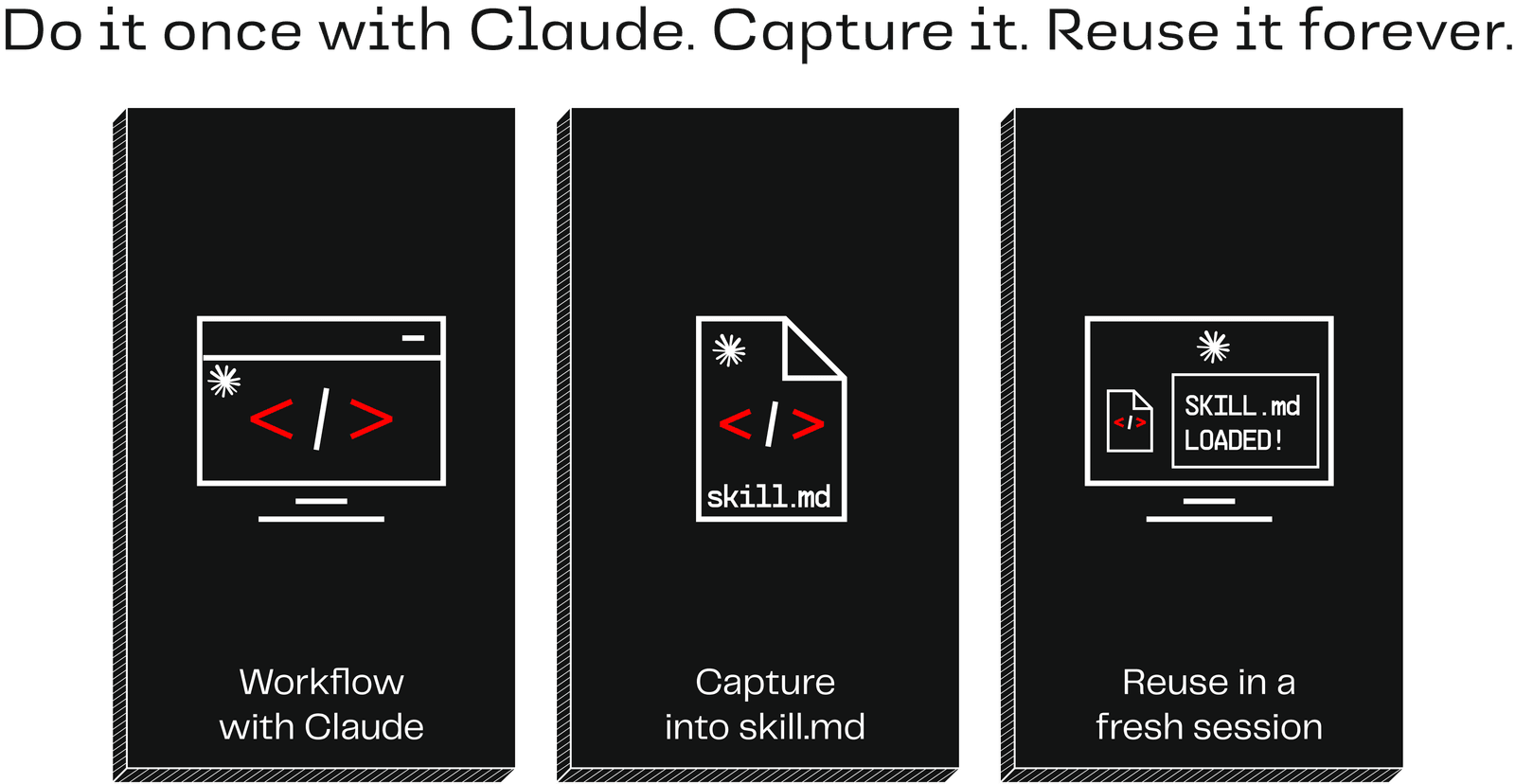
- We Do: Work through a task with AI, refining until the output matches what you would produce yourself. Each "no, like this instead" encodes your judgment.
- You Do: Ask AI to capture what you just did as instructions it can follow independently. AI just went through the process with you, so it knows what to capture.
- Test: Start a fresh conversation and run the skill with different input. Does it reproduce the quality without your guidance?
- Refine: If not, identify what is missing and update the skill. Common failure modes: the skill assumes context from your original conversation (add it explicitly), it describes the what but not the how (add the steps), or it is too generic (add your team's specific conventions).
Testing with fresh context is what proves your skill is self-contained. If it only works in the session where you created it, you are relying on conversation context, not the skill itself.
Spotting Skill Candidates
Pay attention to repeated friction. Every time AI makes the same mistake twice, every time you re-explain the same convention, that is a signal.
Good skill candidates are processes: repeatable, multi-step workflows where you want AI to follow the same approach every time. Some examples:
- Adding a new page: When you add a new page to your app, you probably want AI to follow the same steps every time: check what pages already exist, match the existing navigation pattern, follow the same layout structure
- Creating a new form: Every time you need a new form, there is a process: what fields to include, how to handle validation, where to put the submit action
- Feature decomposition: Breaking a big feature into independently shippable story-sized pieces, ordered so the smallest valuable thing comes first
- Documentation cleanup: After building a feature, update the relevant docs in a consistent format
The signal: if you have explained the same thing to AI three times, it is time to write a skill.
Skills vs. project context: what goes where?
If a convention should apply every time whether you are thinking about it or not, it belongs in your project context file. If it is a process you invoke on demand, it is a skill. Your project context file says "cards always use this layout." A skill says "when adding a new page, follow these steps."
Try It
You have everything you need to build your first skill right now. Pick a process you repeated while building your project, something you explained to AI more than once, and try this:
Ask your AI coding assistant:
I want to create a skill that captures how we [your process].

Here's how I want it done:
- [Step 1]
- [Step 2]
- [Step 3]

Create a skill file that captures this process so AI follows
it the same way every time.
In Your AI Assistant
This creates a SKILL.md file in .opencode/skills/. Open Code reads it automatically when working on related tasks. To test, start a fresh conversation and invoke the skill with /skill-name to see if AI follows the process without your guidance.
This creates a SKILL.md file in .claude/skills/. Claude reads it automatically when working on related tasks. To test, start a fresh conversation and invoke the skill with /skill-name to see if AI follows the process without your guidance.
Antigravity CLI activates skills automatically based on context, or you can manage them with /skills enable <name> and /skills disable <name>. To test, start a fresh conversation and see if AI follows the process without your guidance.
This creates a SKILL.md file in .agents/skills/. Codex reads it automatically when working on related tasks. You can also invoke a skill explicitly with $skill-name in your prompt. To test, start a fresh conversation and invoke the skill to see if AI follows the process without your guidance.
If the output does not match what you expect, refine the instructions and try again. Common fixes: add steps that were obvious to you but missing from the file, be more specific about your conventions, or add examples of good output.
Key Insight
Skills turn one-time refinement into permanent consistency. Instead of re-explaining conventions every session, you encode them once and they travel with the project. The "We Do, You Do" pattern (do it together, capture it, test with fresh context) ensures the skill works independently. If you have explained the same thing to AI three times, it is time to write a skill.